
AI MCP Server Negotiation Training: Step‑by‑Step Guide
Want your AI assistant to pull the right deal data in real time? This guide walks you through building an AI MCP server that fuels negotiation training, from setup to performance tweaks.
What Is an AI MCP Server and Its Role in Negotiation Training?
An AI MCP ( Model Context Protocol) server is a thin wrapper that lets large language models talk to your internal tools, data stores, or knowledge bases. It uses JSON‑RPC 2.0 to exchange requests, so the AI can ask for pricing tables, contract clauses, or scenario scripts without hard‑coding an API for each use case.
The protocol shines in negotiation training because the AI can fetch the exact context a learner needs , like a product catalog or a past win‑loss analysis , and then generate on‑the‑fly coaching prompts. That makes the training feel like a live deal rather than a static e‑learning module.
GitHub's MCP server development guide splits the flow into three phases, Initialization, Message Exchange, and Termination, and stresses that every request should have a timeout to avoid silent hangs. The timeout rule appears in every source we reviewed, so treat it as a non‑negotiable part of your setup.
Edge Negotiation Group uses this pattern to embed its playbooks directly into Claude Desktop, ChatGPT, or any enterprise AI tool, turning theory into practice for corporate negotiators.
Step 1: Set Up Your MCP Server Environment
First, choose a host language you're comfortable with , Python, Node, or Java work well. Install the required SDK and create a project folder callednegotiation-mcp. Inside, add anmcp.jsonfile that lists the URLs of the servers you'll call later.
Next, spin up a local server. In Python it looks like this:
from sdk import MCPServer
server = MCPServer(base_dir="./tools")
server.run(host="0.0.0.0", port=YOUR_PORT)
Run the script and verify the health endpoint returns. That proves the JSON‑RPC handshake works.
Now you have a reachable MCP server. The next step is to integrate the negotiation knowledge base into the AI MCP server negotiation training connector.

Designing the Knowledge Base That Powers Negotiation Context
The knowledge base is where you store playbooks, pricing rules, and case studies. A simple approach is to keep markdown files in aresourcesfolder and let the MCP server expose them vialistResourcesandreadResourcecalls.
Each file should follow a clear template: title, brief summary, key data points, and a set of sample dialogue snippets. For example, a file calledprice‑tier‑guide.mdmight list volume discounts, payment‑plan options, and a short script for handling objections.
Edge Negotiation Group's own content library uses this exact structure, letting their AI coach pull a "best‑practice objection response" in milliseconds during a role‑play.
When you add a new file, run the server'sreloadcommand so the capability catalog updates. That way the AI always sees the latest tools without a restart.
Step 2: Secure Your MCP Server for Negotiation Data
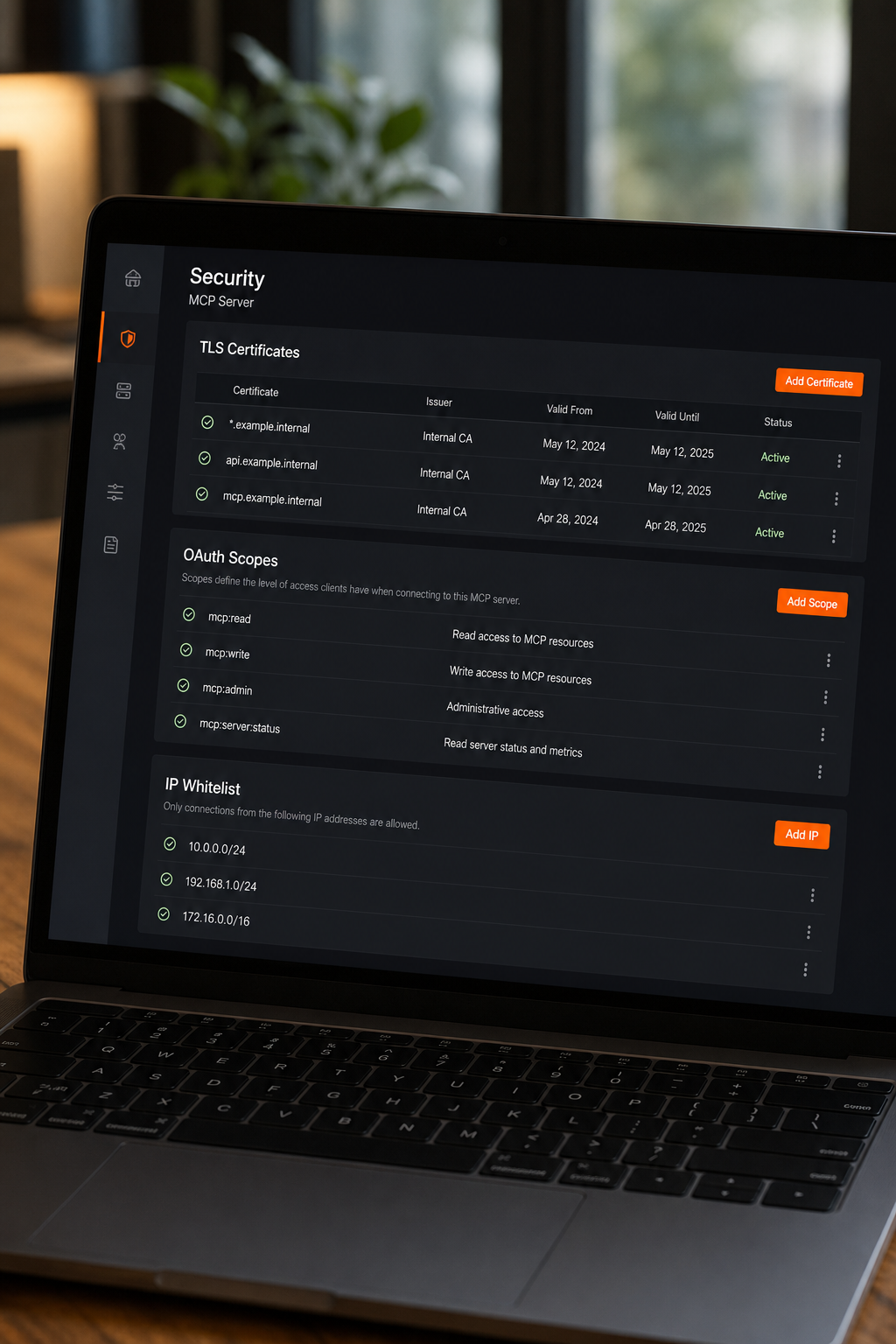
Negotiation data often includes pricing, contract terms, and competitive intel, all of which need protection. Start by enabling TLS on the server. In the server framework you can point to a certificate and private key like this:
server.run(host="0.0.0.0", ssl_context=("cert.pem", "key.pem"))Next, require OAuth 2.0 tokens for every request. The client library can attach a bearer token, and the server validates it against your identity provider. That keeps stray scripts from pulling confidential numbers.
Finally, whitelist the AI host IPs (Claude Desktop, ChatGPT, etc.) in your firewall. That limits exposure to only the agents that need the data.
Step 3: Test and Debug the Negotiation Workflow
With the server running and secured, create a mock negotiation flow. Use the MCP client to calllistToolsand verify the server advertises aprice‑calctool.
Then send a sample prompt: "A buyer wants a 12‑month subscription for 500 units. What's the best price?" The client forwards the request to the LLM, which decides to invokeprice‑calc. Capture the tool's JSON response and feed it back into the prompt.
If the LLM never calls the tool, check thecapabilitiespayload , missing schema definitions are a common cause. Also verify that request timeouts are set; without them the client can wait forever, which stalls the role‑play.
Edge Negotiation Group recommends a quick "smoke test" script that runs through three typical deal scenarios and logs any mismatched IDs. It saves hours of manual debugging before you ship the training.
Optimizing Performance and Latency for Real‑Time Negotiations
Negotiation coaching often happens live, so milliseconds matter. First, run the server in a container close to the AI host, a regional cloud zone reduces network hops.
Second, enable caching for static resources like pricing tables. The provided SDK lets you set a Cache‑Control header, which the client respects for repeated calls.
Third, monitor request‑response times with a built‑in exporter that the server provides out of the box. Set an alert at 200 ms; anything above that may hurt the user experience.
MCP vs Other Tool‑Calling Standards: Quick Comparison
The table shows why many enterprises pick MCP for negotiation training: it gives a uniform way to add new deal‑logic tools without rewriting the AI client.
FAQ
What is the main benefit of using an MCP server for negotiation training?
The main benefit is real‑time access to company‑specific data, so the AI can coach a learner with the exact pricing rules and contract clauses they will face in the field.
Do I need to be a developer to set up an MCP server?
No. With the provided toolkit you can follow a few command‑line steps, and the Edge Negotiation Group provides ready‑made templates that reduce the coding effort.
Can I use MCP with any AI model?
Yes. MCP talks to the model via a client library, and the library works with Claude Desktop, ChatGPT, Microsoft Copilot, Google Gemini, and other AI models.
How do I keep negotiation data secure on the MCP server?
Enable TLS, require OAuth 2.0 bearer tokens, and whitelist only the AI host IPs. Rotate tokens regularly and audit request IDs for any unexpected access.
What performance should I aim for in a live training session?
Target sub‑200 ms round‑trip latency. Use a regional cloud zone, enable caching, and monitor with standard alerts to stay within that window.
Conclusion
For fast, context‑rich negotiation coaching, start with Edge Negotiation Group's MCP‑ready content, follow the three steps above, and lock down security before you go live. Your next move: spin up a test server, load a sample playbook, and run a live role‑play to see the AI in action.